
H5P is an activity tool within Moodle you can use to build a huge range of asynchronous activities to enhance the students’ learning experience, including:
- Interactive videos
- Drag-and-drop tasks
- Branching scenarios
- Image hotspots
- Flashcards and quizzes
- Timelines
- Virtual tours (360°)
- Interactive books
H5P stands for HTML5 Package. It’s an open‑source tool that allows you to create interactive learning content without needing to know any code.
All content created is mobile‑friendly, accessible, and easy to reuse or adapt.
More information about H5P, along with examples of what can be created, can be found here.
Why use H5P?
Interactive tools, when used well, can help improve student engagement, can be used to reinforce learning, and can cater to different learning styles. H5P activities also reinforce Universal Design for Learning Principles, used to design inclusive teaching and learning materials and environments.
In a student focus group carried out by one of our Digital Learning Champions last year, 85% of students said that having more interactivity on their course would help them engage more with the content and help them with their learning.
Use Case
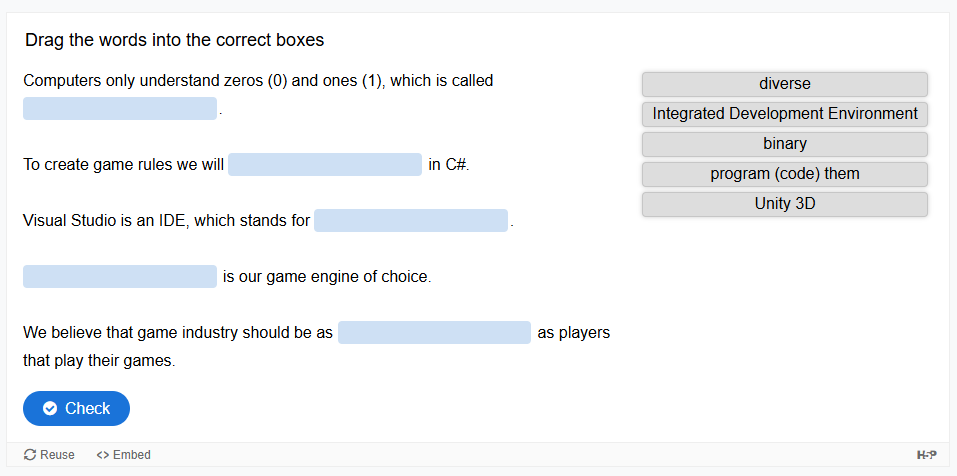
‘Introduction to Games Design’ on the BA Games Design course, uses H5P as a knowledge check to ensure that students have understood the learning for each week.
Once the students have worked their way through the materials, they need to successfully complete a drag and drop exercise before the next batch of learning content is revealed.
H5P and Moodle
H5P is integrated into Moodle, so creating resources is incredibly easy.
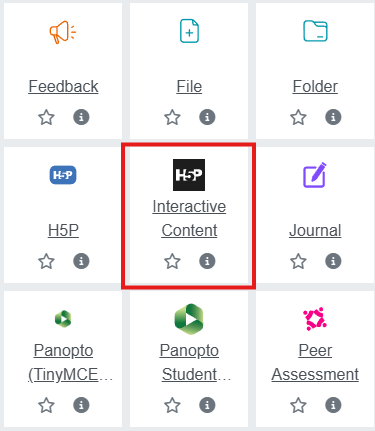
With editing turned on, click on the ‘Add activity or resource’ button:

Then select ‘H5P Interactive Content’:
From here, you’ll be offered a menu of different activity types that you can create.
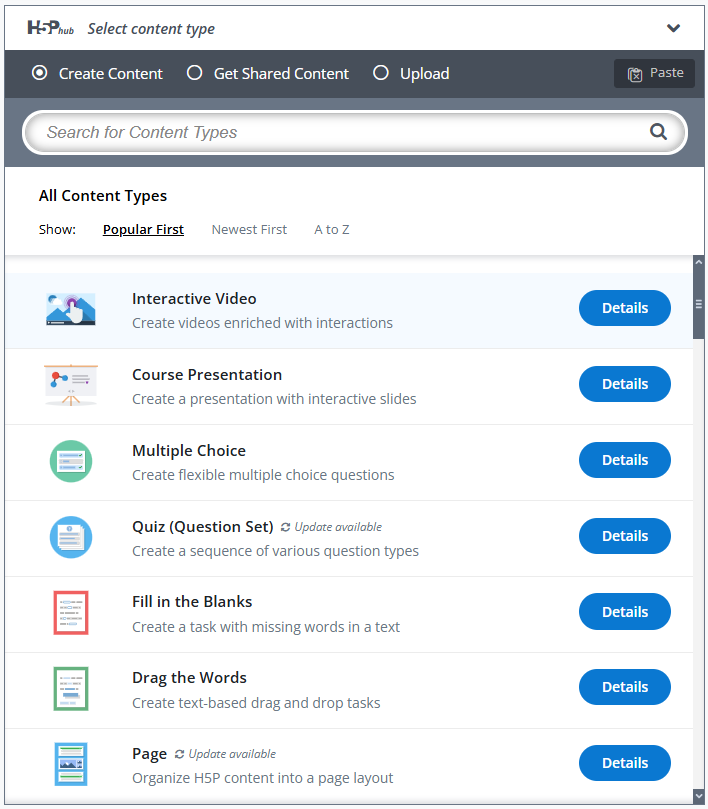
From there, work through the options to create your interactive material.
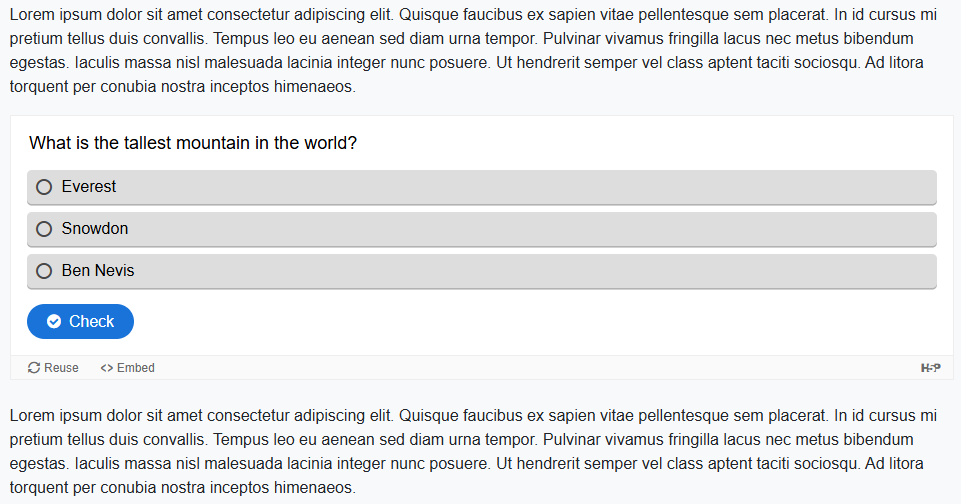
Once created, content can either be accessed by following the link on the Moodle page, or can be embedded within a section of text.
What next?
If you would like to explore H5P more, then please contact the Digital Learning Team (lccdigitallearning@arts.ac.uk), and we can provide more hands-on training and advice.
Leave a Reply
You must be logged in to post a comment.