
Category: All Articles
Recent articles about teaching and learning at LCC
-
Miro: AI Assist
Miro has introduced an AI Assistant, with a range of features that can be used on your boards. AI assist is only on the Enterprise license. You will need to have a Miro UAL education account in order to use this function. Accessing AI Assist AI Assist, can be accessed…
Written by

-
Miro: Talktrack and Presentation Notes
Talktrack Talktrack is a new function on Miro that allows users to add a video to a frame. This works similar to cameo in PowerPoint. Anyone who has been added as part of the team for that board can add a Talktrack. This can be used for; This tool is…
Written by

-
Accessibility: Spring Clean Your Moodle Pages
The daffodils’ and the snow drops are out, but we don’t want our Moodle pages accessibilities scores to drop. During the spring break many of you will be uploading material for the summer term onto Moodle. Make sure you are checking your documents and making them as accessible as possible.…
Written by

-
Moodle Reports
Moodle has a number of inbuilt reports that you can use to gather information such as: Detailed accessibility information Course participation Activity usage General student engagement Reports can be accessed by going to the Course Menu > Reports. From here you will see a number or reports that can be…
Written by

-
PowerPoint Live with Subtitles and Captions
Many of our students have English as a second or third language. They can often struggle with having a full understanding of a lecture. It can also be cognitively exhausting. Other students are also translating for them. Those with hearing impairments will find it easier to follow a lecture with…
Written by
-
What’s new in Padlet?
Padlet has introduced several new features in its Autumn update, a summary of which can be seen below. Content Creation and Organization: Sharing and Collaboration: Enhanced Features and Performance: For a full breakdown of the new features released in the winter update, read the Padlet blog here.
Written by
-
Educational Videos : Sharing Good Practice
Panopto is UAL’s video sharing platform. It’s where we can host our educational videos and link them to our Moodle sites. There has been some good practice and examples of types of educational videos across LCC during 22/23. The benefits for students is being able to recall the information, having…
Written by
-
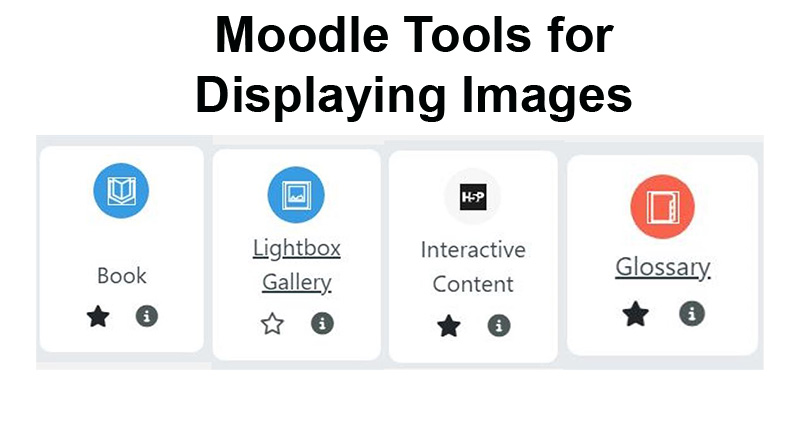
Moodle Tools for Displaying Images
Images on Moodle pages can set the tone and context of a unit. Also, they can be used for critical analysis and examples for ideation or inspiration. Some programme areas need to be able to bring their subject alive with images. This post focuses on different Moodle tools to allow for galleries…
Written by
-
Accessibility: Make your Moodle site accessible
As we work on the accessibility of our documents and PDF’s we should also take some time to look at the Moodle site itself. In this post we will talk your through what to think about to boost the inclusiveness of the page. This includes: Recite Me Format Atto text…
Written by

-
23/24 Academic Year – 10 things you need to know
Over the summer Moodle 4.1 has arrived. Some of the mechanics of how we set up things like groups, labels and move items have changed. The Digital Learning team have also been working on our project priorities for this academic year. So here are 10 things you need to know…
Written by