Colour Change

18.5% of students have declared a disability at UAL which is higher with the national figure of 16%. The number of people working in the creative industry who are neurodiverse is even higher with some reports doubling the figure to 32%. This is a 3rd of the work force that may be disadvantaged by inaccessible content.  Another group to be mindful of is the 8% of the male population who are colour blind.  

In the non-digital era we had overlays and did our best to use colour paper. Although still a useful tool for some we now can change the background colour of presentations and documents and adapt digital spaces.   

Yet it is not always straightforward knowing how to change the settings. Each person is different and what works well for one might be the opposite for another. Enabling your learners to customise their digital space will be an empowering experience for them.  

Impact

The harshness of contrasting colours or bright white can make it seem like the text is fuzzy or moving around. By changing the colour it calms this down. It can be as simple as moving from white to cream as used by the British Dyslexia Association and recommended in their style guide.

In this post we will outline how to change the settings on the three main application platforms; Microsoft, Apple and Google. Looking at both the presentation apps and word processing apps.

Microsoft

This video will talk you through how to change the colour background in Word, PowerPoint and Immersive Reader.

Apple

This video will show you how to change the background colour in both keynote and pages.

Google

Although a Google application is not a format that is used for hand in. Many students will work on Google Docs or Slides and then convert to word or PowerPoint. Therefore it is handy to know how to change the colours to help assist those student who would benefit from the background colour change.

If you need any further help or want to organise a group training session, please contact the Digital Learning team at lccdigitallearning@lcc.arts.ac.uk.

Further resources: 

  • Make Things Accessible – a repository for accessibility guidance materials 
  • AT Hive – explore assistive technology (AT) and how it can help 
  • My Computer My Way – for advice on making your device easier to use if you have a disability 
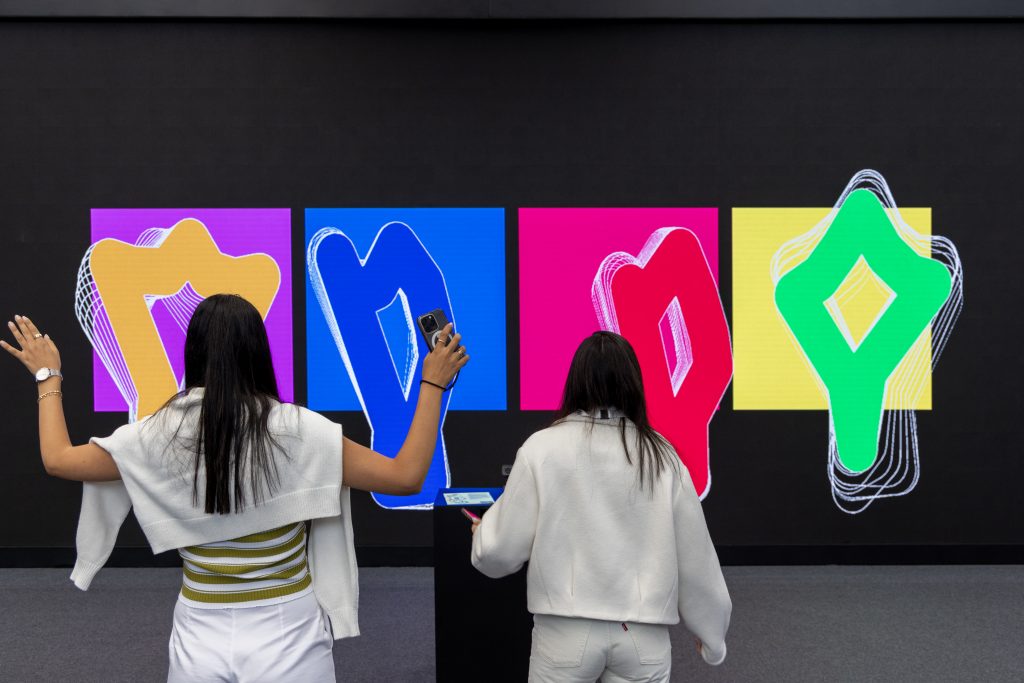
Image of student at standing in front of different coloured shapes.

18.5% of students have declared a disability at UAL which is higher with the national figure of 16%. The number of people working in the creative industry who are neurodiverse is even higher with some reports doubling the figure to 32%. This is a 3rd of the work force that may be disadvantaged by inaccessible content.  Another group to be mindful of is the 8% of the male population who are colour blind.  

In the non-digital era we had overlays and did our best to use colour paper. Although still a useful tool for some we now can change the background colour of presentations and documents and adapt digital spaces.   

Yet it is not always straightforward knowing how to change the settings. Each person is different and what works well for one might be the opposite for another. Enabling your learners to customise their digital space will be an empowering experience for them.  

Impact

The harshness of contrasting colours or bright white can make it seem like the text is fuzzy or moving around. By changing the colour it calms this down. It can be as simple as moving from white to cream as used by the British Dyslexia Association and recommended in their style guide.

In this post we will outline how to change the settings on the three main application platforms; Microsoft, Apple and Google. Looking at both the presentation apps and word processing apps.

Microsoft

This video will talk you through how to change the colour background in Word, PowerPoint and Immersive Reader.

Apple

This video will show you how to change the background colour in both keynote and pages.

Google

Although a Google application is not a format that is used for hand in. Many students will work on Google Docs or Slides and then convert to word or PowerPoint. Therefore it is handy to know how to change the colours to help assist those student who would benefit from the background colour change.

If you need any further help or want to organise a group training session, please contact the Digital Learning team at lccdigitallearning@lcc.arts.ac.uk.

Further resources: 

  • Make Things Accessible – a repository for accessibility guidance materials 
  • AT Hive – explore assistive technology (AT) and how it can help 
  • My Computer My Way – for advice on making your device easier to use if you have a disability 
, , ,

Colour Change

18.5% of students have declared a disability at UAL which is higher with the national figure of 16%. The number of people working in the creative industry who are neurodiverse is even higher with some reports doubling the figure to 32%. This is a 3rd of the work force that may be disadvantaged by inaccessible content.  Another group to be mindful of is the 8% of the male population who are colour blind.  

In the non-digital era we had overlays and did our best to use colour paper. Although still a useful tool for some we now can change the background colour of presentations and documents and adapt digital spaces.   

Yet it is not always straightforward knowing how to change the settings. Each person is different and what works well for one might be the opposite for another. Enabling your learners to customise their digital space will be an empowering experience for them.  

Impact

The harshness of contrasting colours or bright white can make it seem like the text is fuzzy or moving around. By changing the colour it calms this down. It can be as simple as moving from white to cream as used by the British Dyslexia Association and recommended in their style guide.

In this post we will outline how to change the settings on the three main application platforms; Microsoft, Apple and Google. Looking at both the presentation apps and word processing apps.

Microsoft

This video will talk you through how to change the colour background in Word, PowerPoint and Immersive Reader.

Apple

This video will show you how to change the background colour in both keynote and pages.

Google

Although a Google application is not a format that is used for hand in. Many students will work on Google Docs or Slides and then convert to word or PowerPoint. Therefore it is handy to know how to change the colours to help assist those student who would benefit from the background colour change.

If you need any further help or want to organise a group training session, please contact the Digital Learning team at lccdigitallearning@lcc.arts.ac.uk.

Further resources: 

  • Make Things Accessible – a repository for accessibility guidance materials 
  • AT Hive – explore assistive technology (AT) and how it can help 
  • My Computer My Way – for advice on making your device easier to use if you have a disability 
Image of student at standing in front of different coloured shapes.

18.5% of students have declared a disability at UAL which is higher with the national figure of 16%. The number of people working in the creative industry who are neurodiverse is even higher with some reports doubling the figure to 32%. This is a 3rd of the work force that may be disadvantaged by inaccessible content.  Another group to be mindful of is the 8% of the male population who are colour blind.  

In the non-digital era we had overlays and did our best to use colour paper. Although still a useful tool for some we now can change the background colour of presentations and documents and adapt digital spaces.   

Yet it is not always straightforward knowing how to change the settings. Each person is different and what works well for one might be the opposite for another. Enabling your learners to customise their digital space will be an empowering experience for them.  

Impact

The harshness of contrasting colours or bright white can make it seem like the text is fuzzy or moving around. By changing the colour it calms this down. It can be as simple as moving from white to cream as used by the British Dyslexia Association and recommended in their style guide.

In this post we will outline how to change the settings on the three main application platforms; Microsoft, Apple and Google. Looking at both the presentation apps and word processing apps.

Microsoft

This video will talk you through how to change the colour background in Word, PowerPoint and Immersive Reader.

Apple

This video will show you how to change the background colour in both keynote and pages.

Google

Although a Google application is not a format that is used for hand in. Many students will work on Google Docs or Slides and then convert to word or PowerPoint. Therefore it is handy to know how to change the colours to help assist those student who would benefit from the background colour change.

If you need any further help or want to organise a group training session, please contact the Digital Learning team at lccdigitallearning@lcc.arts.ac.uk.

Further resources: 

  • Make Things Accessible – a repository for accessibility guidance materials 
  • AT Hive – explore assistive technology (AT) and how it can help 
  • My Computer My Way – for advice on making your device easier to use if you have a disability 
, , ,